Please check your device's system version:
- WalkTask for iOS supports devices running iOS 13 and above.
- WalkTask for Android supports devices running Android 8 and above.
-If your device is below these versions, you will need to switch to a different device.
If WalkTask is not counting your steps, there could be several reasons:
1. Step Permissions Not Enabled
- For iOS: Ensure that the Motion & Fitness permission is enabled.
- For Android: Ensure that the Physical activity permission is enabled.
- Click on the banner on the homepage to enable the relevant permissions.
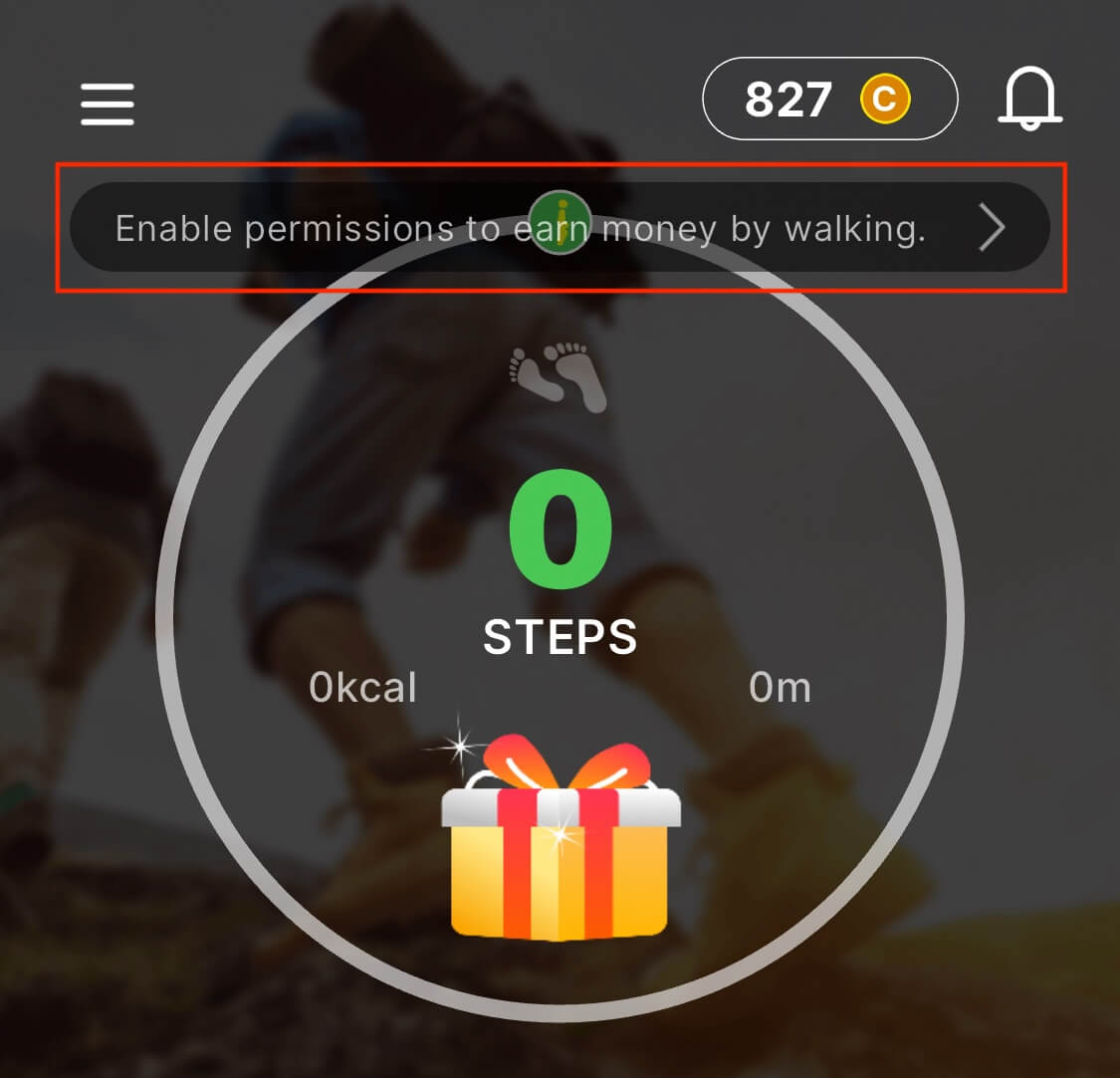
2. Device Lacks Step Sensor
- Some devices may not have a step sensor, making it impossible to count steps. Unfortunately, there is no good solution for this issue, and you may need to switch to a different device.
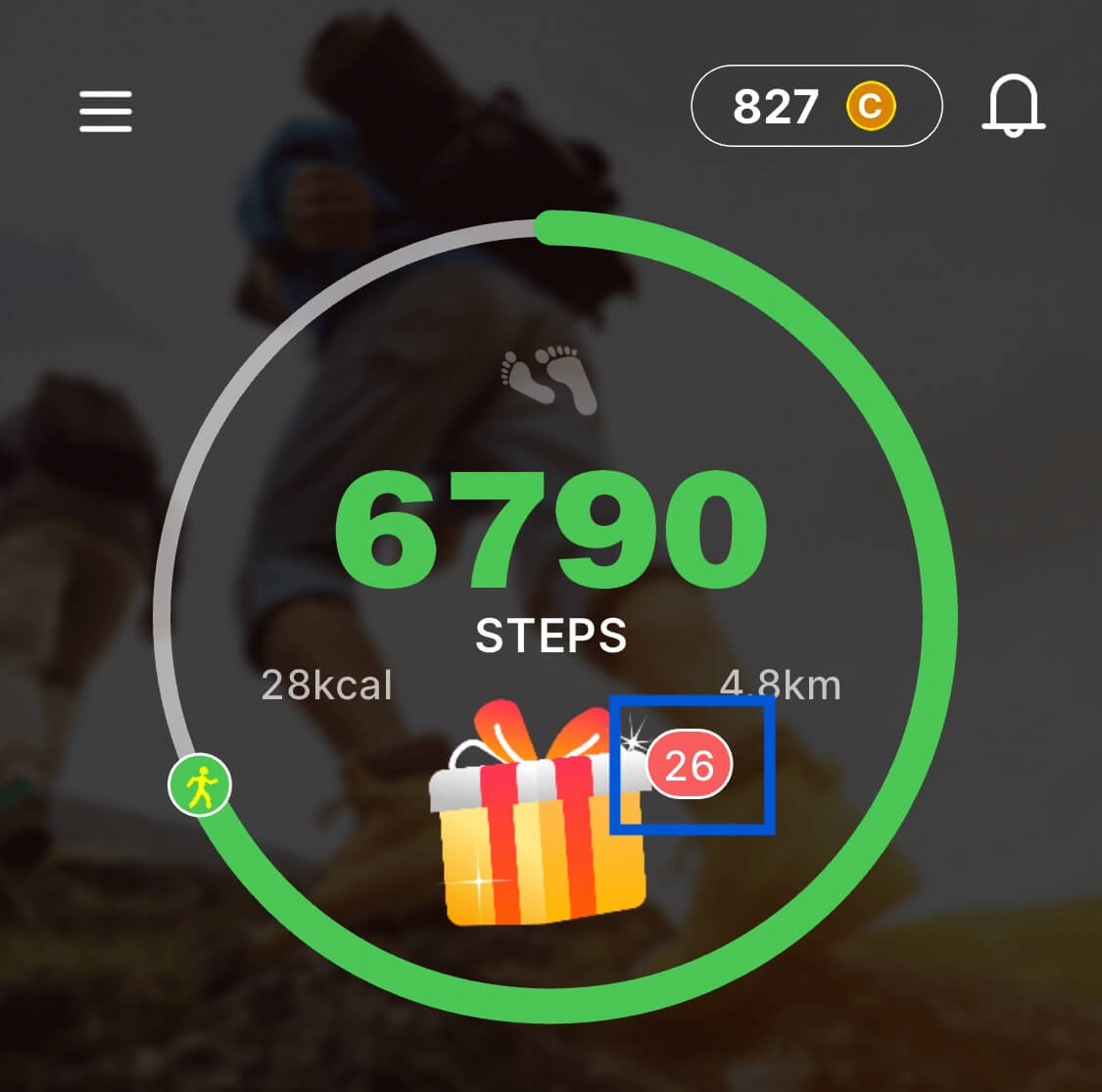
You can claim coins by walking a certain number of steps. As your step count increases, so does the number of coins you can claim. Click on the treasure chest to claim your coins. Note that steps reset daily, so if you forget to claim your coins one day, they will disappear the next day.
In addition to earning coins by walking, you can also obtain gold coins through the following methods:
1. Lucky Box: There is a lucky box on the home page. Opening it can earn you coins
2. Bonus Page: The Bonus page offers various activities and games. Completing these tasks can earn you coins.
3. Invite Friends: Inviting friends to use WalkTask can earn you coin rewards.
1. Friend Registration: You will get 30-290 coins.
2. Friends Active in the First 7 Days: For each day of a friend's activity, you will get 10-30 coins.
3.The amount of reward depends on your friend's country, device, and activity level.
The more developed the country your invited user is from, the more rewards you will receive. The development level of a country can be judged by its per capita GDP.
This usually does not happen. If it does, it means the user you invited is considered a risky user, and thus no reward was given.
We support various gift cards, including PayPal, Amazon, Apple, Google, ZARA, ZALORA, KFC, Walmart, and more. Please note that gift cards may have regional restrictions, so be sure to check which country’s gift card you are redeeming.
On the Redeem page, you can see many gift cards. If you have enough coins, click on the gift card to open the redemption page. Follow the instructions to fill in your email information, and submit your redemption.
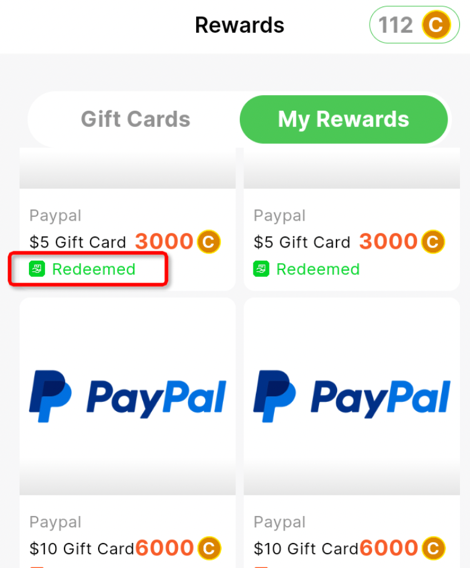
You can check your redemption records and status on the My Rewards page:
1. In Review: Your redemption is being manually reviewed.
2. Review Failed: Your redemption had issues and was rejected by the reviewer.
3. Redeeming: Your redemption is being processed.
4. Redeem Failed: Your redemption failed. Check the related issues for details.
5. Redeemed: Your redemption was successful.
In general, if there are issues such as incorrect email entries, we will reject the redemption and return the coins. You can try to initiate the redemption again. However, if the account has violated rules or shows risky behavior, we will not return the coins.
1.PayPal account risk
The reason is that your PayPal account has been flagged as risky by PayPal, so the transaction was rejected. Coins have been returned. Please try using a new PayPal email for redemption.
2.Email does not exist or PayPal account does not exist
The PayPal email submitted for redemption does not exist. Coins have been returned. Please try using a new PayPal email for redemption.
3.WalkTask account is suspected of fraud, cheating, or violation of rules.
We ensure that all users who follow the rules on WalkTask will receive their rewards on time. At the same time, we will investigate users with violations, for such redemptions, we will deduct all illegal earnings, and the redemption will also fail.
In general, your redemption will be completed within 3 business days. If it exceeds 3 days, it is likely due to a manual review. To avoid this situation in the future, please follow these suggestions:
1.Follow the terms of use and avoid fraudulent or violating behavior.
2.Use a regularly used, newer phone; avoid using old or outdated phone.
3.Do not install malicious or risky apps on your phone, such as apps not downloaded from Google Play.
4.Stay active within the app, explore various features, and earn coins through multiple methods like Lucky Box, Lucky Spin, Offerwall, Surveys, Invite Friends, etc.